PIAdvisor reads your image state, processing history, and workspace before every reply. Ask what to do next, attach a view or screenshot, and open the recommended tool with one click. It never touches your pixels.
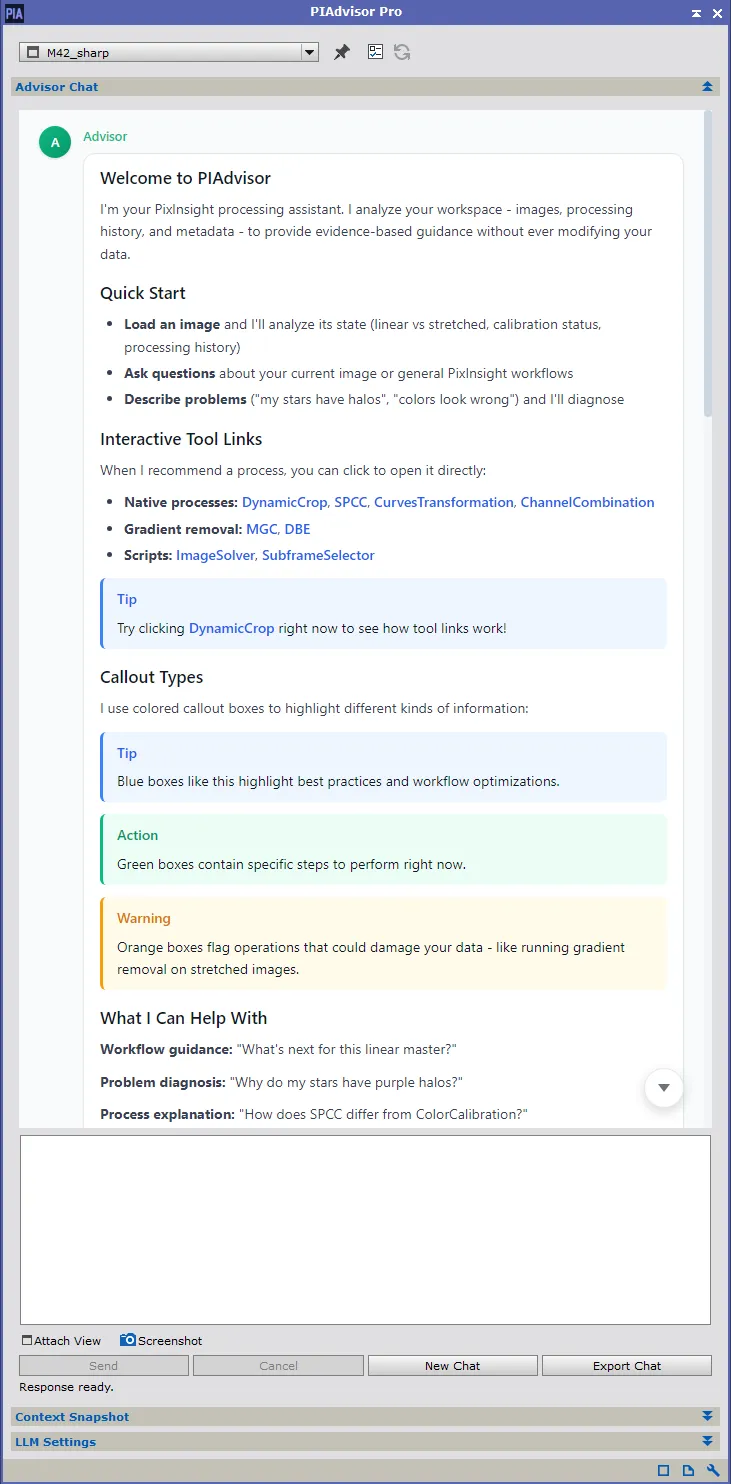
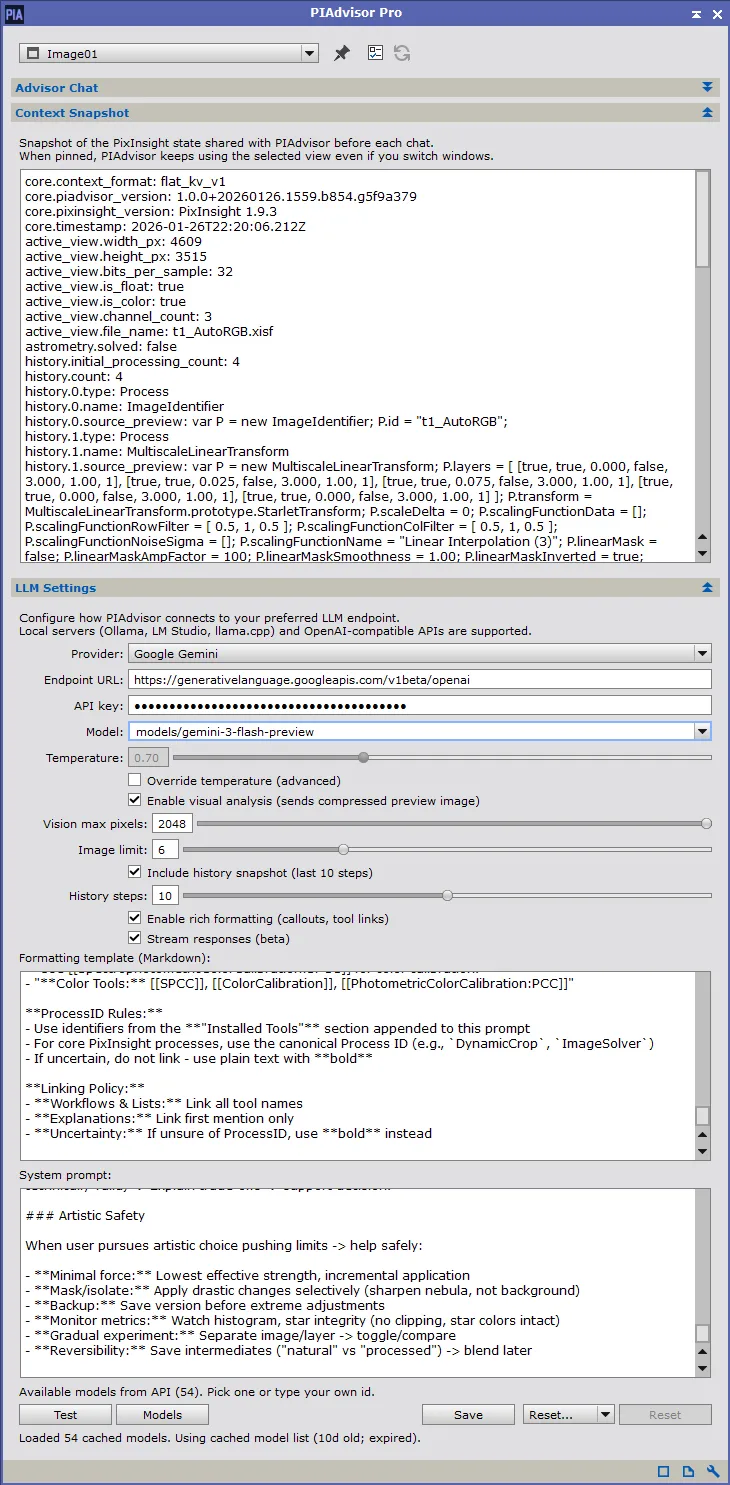
A PixInsight-native assistant that sees the image state you are working with right now.
Browser AI only knows what you paste into it. The moment you stretch, denoise, or switch images in PixInsight, that browser chat is already falling behind. PIAdvisor keeps up with your actual session, so you do not have to keep re-explaining what changed after every step.
PIAdvisor prepares a fresh snapshot for every reply, filters it into something the model can use, and gives priority to the newest attached image. Older images can stay available as supporting context when they help, but the focus stays on what you are working on right now.
PIAdvisor knows PixInsight workflows, warns about invalid operations for your current state, and links directly to tools you can launch with one click. It is built to stay useful while you are actually processing, not just when you stop to write a long prompt.
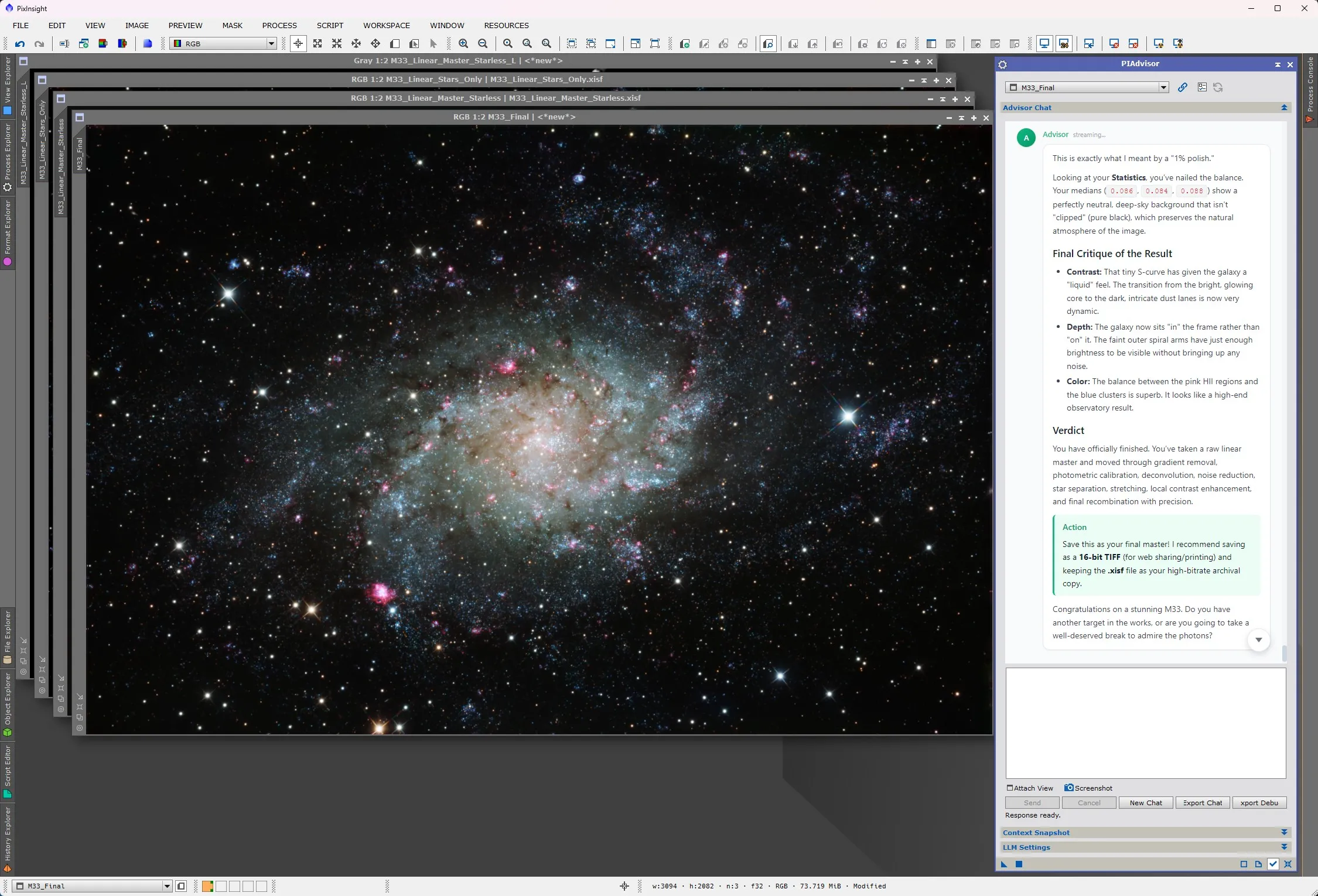
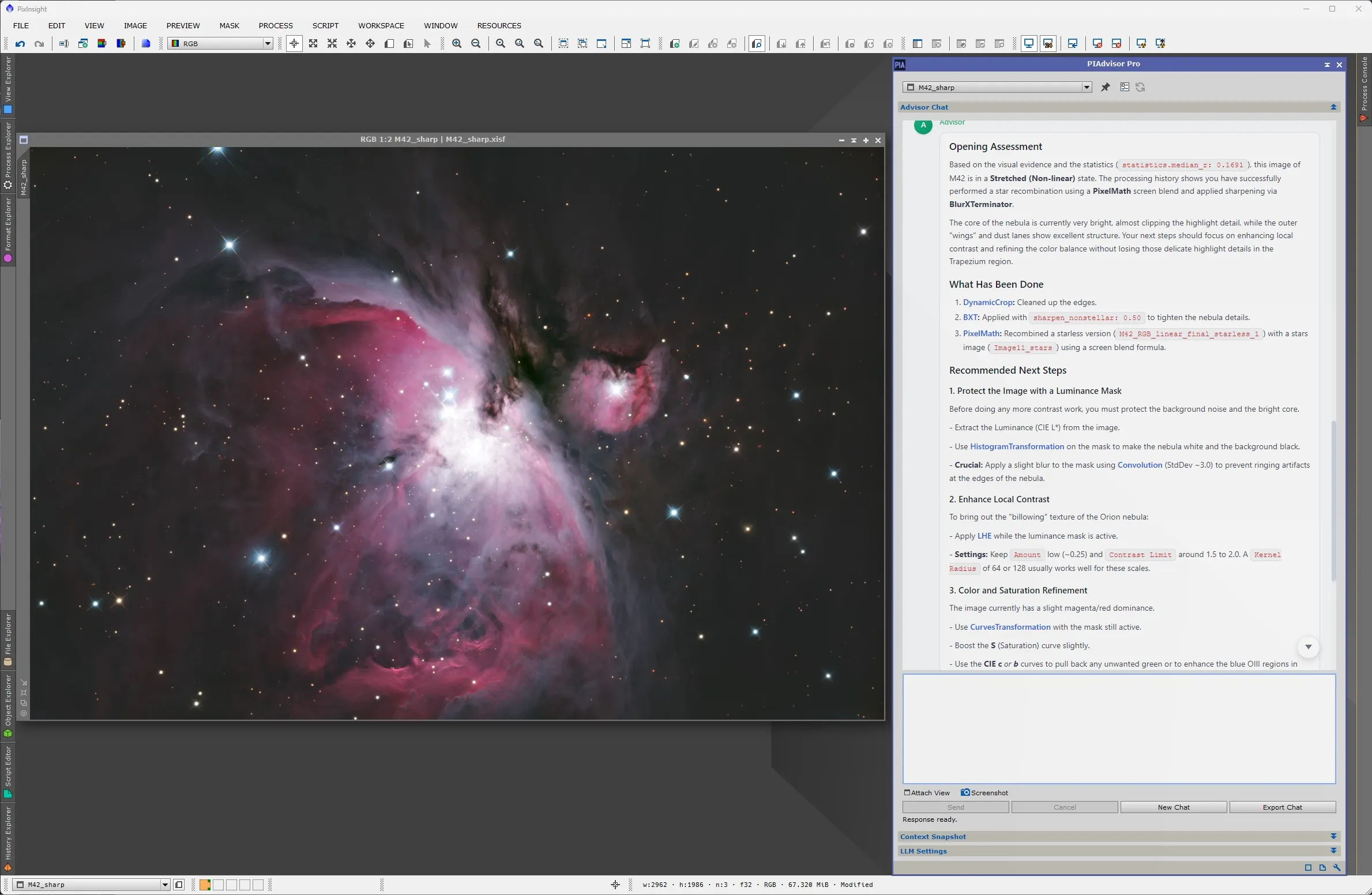
M33 and M42, processed in PixInsight with PIAdvisor guidance.
From raw data to actionable guidance.
Send a question, attach a view, or drop in a screenshot. PIAdvisor works from the image and session state you are already looking at.
Each turn gets a fresh prepared snapshot of your image, workspace, and processing history. The newest attached image is treated as the primary visual evidence.
Answers link the tools they recommend. Click a process name and it opens in PixInsight, ready to run. No menu hunting, no copy-pasting parameter names.
Data reduction for your session state: collect everything, reject the noise, keep the signal.
flowchart LR
    A("`**Collect**
statistics, history,
FITS, astrometry,
STF and mask state`")
    B("`**Normalize**
one structured record
per open image`")
    C("`**Prioritize**
workflow-critical first,
verbose detail last`")
    D("`**Budget**
active image first,
every image keeps
its core metadata`")
    E("`**Send**
newest image primary,
older images as reference`")
    A --> B --> C --> D --> E
    classDef stage fill:#1e293b,stroke:#3b82f6,stroke-width:1.5px,color:#e2e8f0
    class A,B,C,D,E stage
Repeated steps are compressed, bookkeeping entries are skipped, and file paths are redacted before anything leaves your machine. The history that survives is the history that matters.
The image you just attached is marked as the primary evidence for this turn. Earlier images stay available as labeled reference, so the model never mistakes old state for current state.
When space runs short, verbose detail is dropped first, every image keeps its core metadata, and the snapshot says when detail was reduced. The model is never left guessing about what it cannot see.
PIAdvisor does not just send pixels. It prepares the hard metadata and workflow context that generic chat tools usually miss.
Statistics, dimensions, channel count, and derived state like whether the image is really linear, temporarily AutoSTF stretched, or already stretched.
Recent tools, source views, repeated steps, and cleaned previews of what changed so PIAdvisor can reason about your actual workflow instead of guessing.
Frame type, exposure and integration details, headers, plate-solve data, and other acquisition clues that shape good processing advice.
Active image selection, related open images, and links between starless, stars, masks, and masters when that context matters to the question.
Built-in and third-party processes and scripts are discovered so recommendations can stay realistic and launchable inside your PixInsight setup.
The snapshot is capped, normalized, and trimmed for signal so the model gets the parts that matter instead of a raw, noisy PixInsight dump.
Both editions use the same installer. A license key unlocks Pro, and you can try Pro free for 60 days.
Enter your email and we'll send a trial license key. One trial per email. After you activate it inside PixInsight, your license validates offline.
Everything that comes with PIAdvisor.
Automatically discovers installed processes and scripts including third-party tools.
Intelligently derives if an image is linear, has a temporary AutoSTF, or has actually been stretched. Without this, vision models receive near-black pixel data and can't provide useful visual feedback.
Attach views or screenshots before send, see them inline in the conversation, and reopen an earlier turn by removing a sent image when you want to continue down a different path.
Watch answers appear in real-time. No waiting for the full response.
Use OpenAI, OpenRouter, Google Gemini, or run models locally.
Your data stays local. Only your chosen LLM provider sees your queries. Your operating system paths and identifying information are automatically redacted.
Click any process in the response to launch it instantly. No searching menus.
Casual image-sharing can stay brief, while explicit requests for review or next steps still return structured guidance.
Built from the ground up as a native C++ module. It runs asynchronously on background threads so your PixInsight interface never freezes during long chats or data collection.
Teaches photometrically correct workflows (no clipping, proper calibration order) before suggesting artistic enhancements.
No. PIAdvisor is a strictly read-only assistant. It never alters your pixels, so there are no "AI generated" labels required for your images. It only provides text-based guidance and clickable process links.
In a browser, the model only sees what you paste into the chat. PIAdvisor prepares fresh PixInsight context for every turn, can see the image you just attached, and keeps older images as supporting context instead of guessing from stale text alone.
Yes. PIAdvisor connects to your own account with OpenAI, OpenRouter, Google Gemini, or a local model server such as Ollama. You choose the provider and model, and you control the spend. A typical question costs a fraction of a cent on mainstream models.
A current PixInsight install on Windows or Linux (macOS support is coming soon), plus an API key from your chosen provider. Free and Pro use the same installer; a license key unlocks Pro features.
