Attach views and screenshots directly in chat, keep PIAdvisor docked beside your workspace, and get grounded guidance without freezing PixInsight or breaking your flow.
PIAdvisor gives priority to the newest image you send, keeps older images as supporting context, and understands your processing history, workspace state, and installed tools. Casual check-ins can stay natural. Explicit review requests still get structured next steps.
If you remove a sent image, PIAdvisor can reopen that turn so you can keep iterating from the right point instead of starting the whole conversation over.
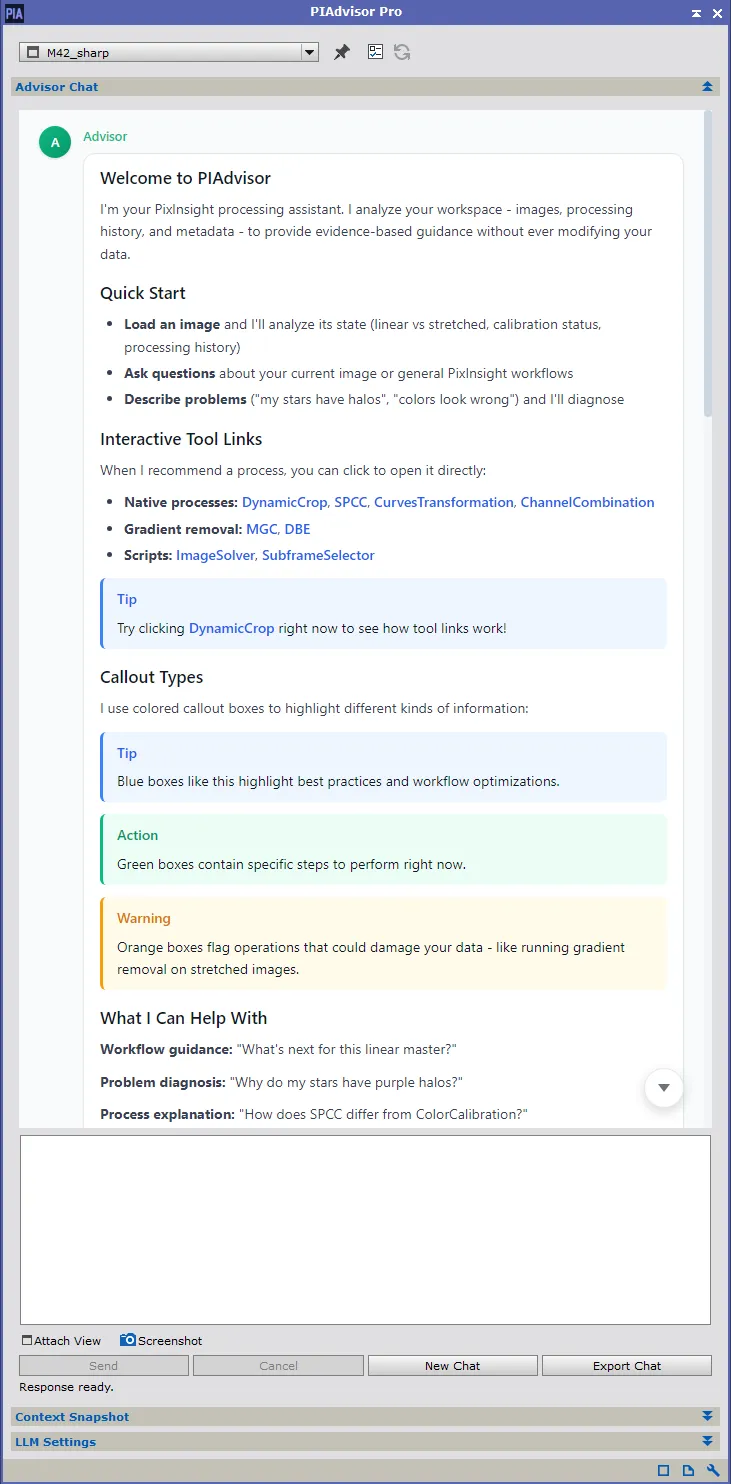
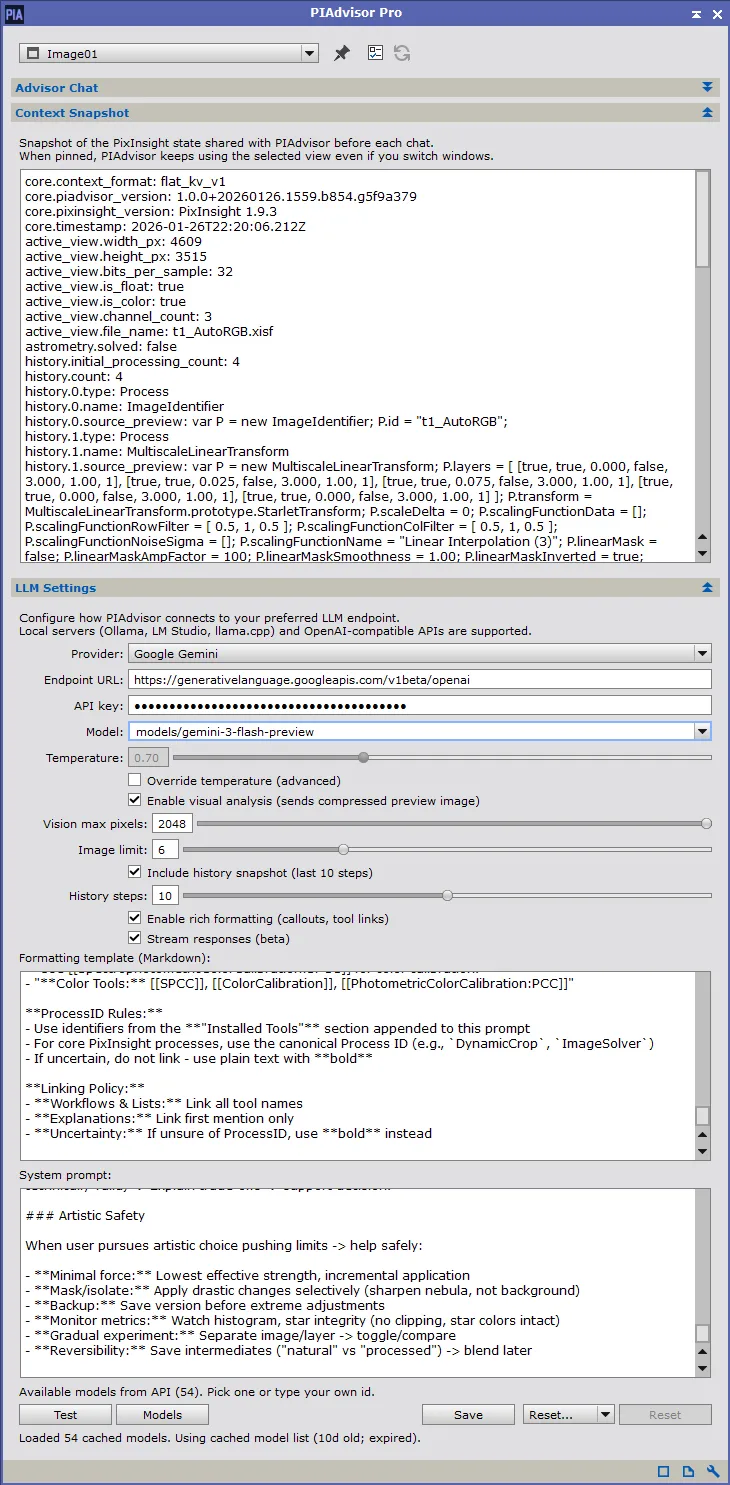
A PixInsight-native assistant that sees the image state you are working with right now.
Browser AI only knows what you paste into it. The moment you stretch, denoise, or switch images in PixInsight, that browser chat is already falling behind. PIAdvisor keeps up with your actual session, so you do not have to keep re-explaining what changed after every step.
PIAdvisor prepares a fresh snapshot for every reply, filters it into something the model can use, and gives priority to the newest attached image. Older images can stay available as supporting context when they help, but the focus stays on what you are working on right now.
PIAdvisor knows PixInsight workflows, warns about invalid operations for your current state, and links directly to tools you can launch with one click. It is built to stay useful while you are actually processing, not just when you stop to write a long prompt.
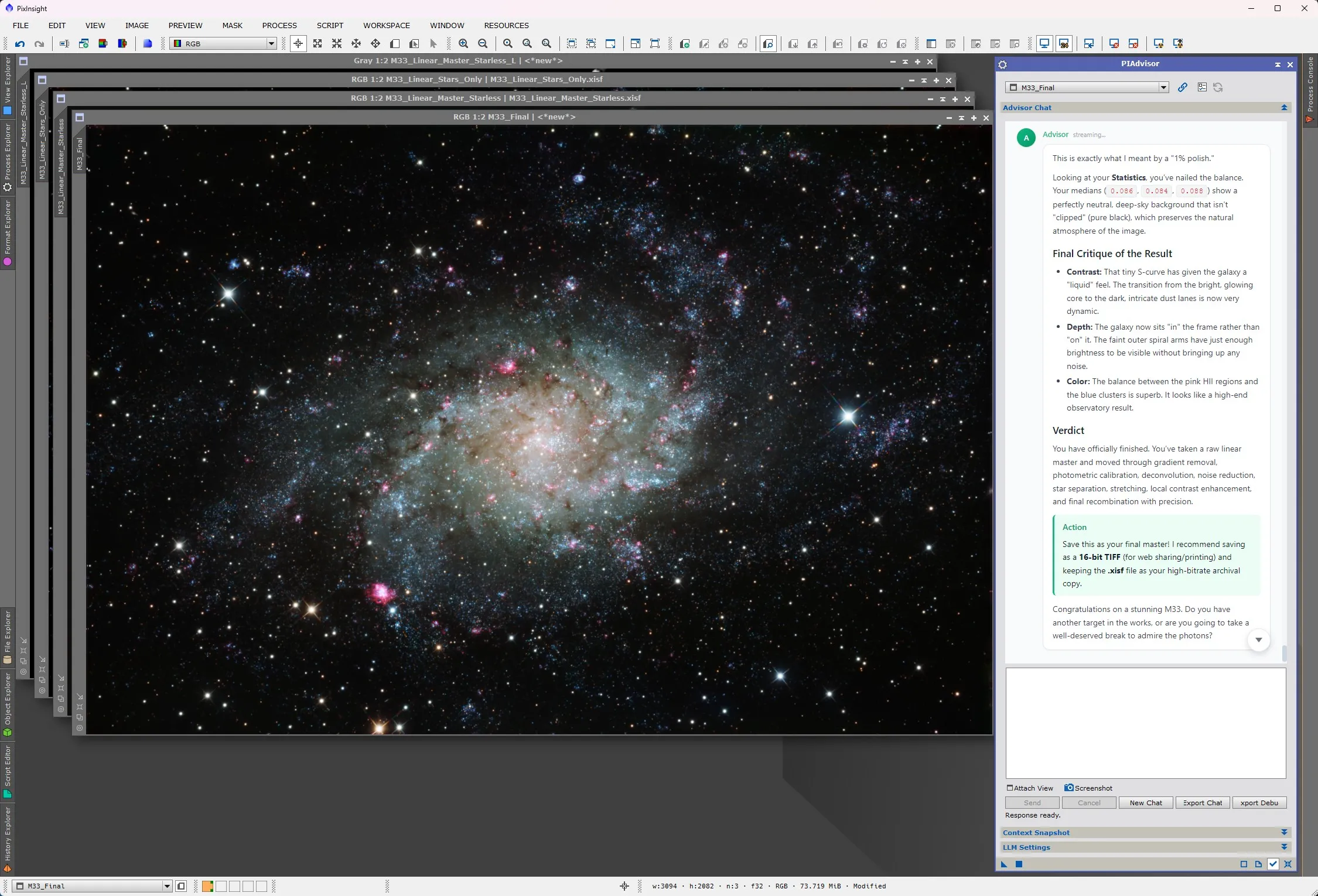
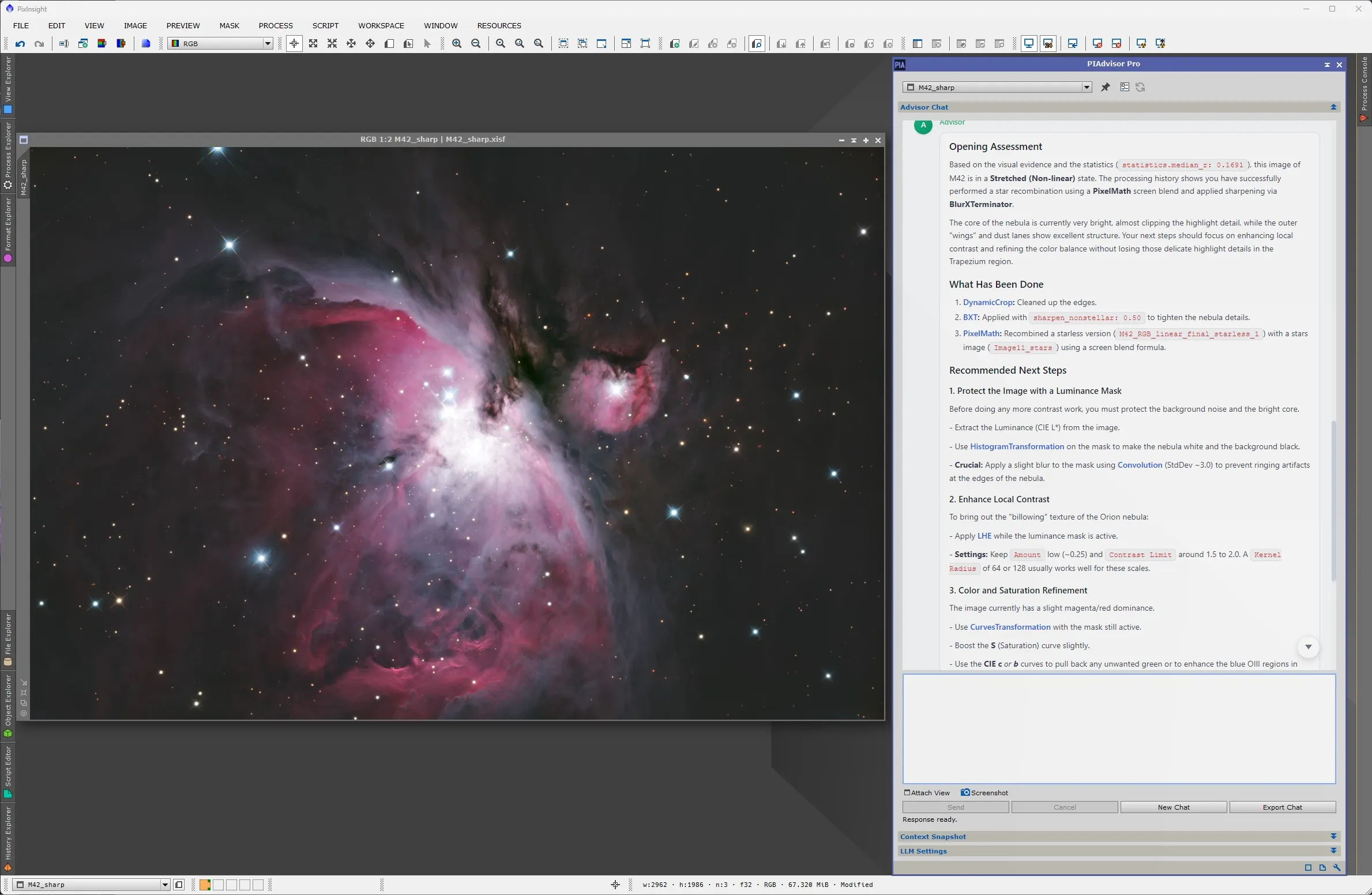
From raw data to actionable guidance.
Send a question, attach a view, or drop in a screenshot. PIAdvisor works from the image and session state you are already looking at.
Each turn gets a fresh prepared snapshot of your image, workspace, and processing history. The newest attached image is treated as the primary visual evidence.
Casual image-sharing can stay brief and natural. Explicit requests still get structured guidance, and recommended tools stay one click away.
How PIAdvisor captures and routes your workspace state for every query.
sequenceDiagram
    autonumber

    participant You
    participant PIAdvisor
    participant Context as Context Engine
    participant LLM as Your LLM Provider

    Note over You,LLM: You ask a question

    You->>+PIAdvisor: "What should I do next?"

    PIAdvisor->>+Context: Capture workspace
    deactivate PIAdvisor
    Note right of Context: Collects metadata,
history, statistics,
FITS headers
    Context-->>-PIAdvisor: Structured snapshot
    activate PIAdvisor
    autonumber off
    %% Spacer self-message: keeps Mermaid vertical spacing without showing an extra numbered step
    PIAdvisor->>PIAdvisor:
    autonumber 4
    PIAdvisor->>+LLM:
    deactivate PIAdvisor
    Note left of LLM: Query + fresh context
    LLM-->>-PIAdvisor:
    activate PIAdvisor
    Note right of PIAdvisor: Grounded response

    PIAdvisor->>You: Actionable guidance
    deactivate PIAdvisor

    Note over You,LLM: Next turn: fresh context captured again
Fresh context, every turn. Your workspace state is prepared live when you ask a question, with older images available as supporting reference when needed.
PIAdvisor does not just send pixels. It prepares the hard metadata and workflow context that generic chat tools usually miss.
Statistics, dimensions, channel count, and derived state like whether the image is really linear, temporarily AutoSTF stretched, or already stretched.
Recent tools, source views, repeated steps, and cleaned previews of what changed so PIAdvisor can reason about your actual workflow instead of guessing.
Frame type, exposure and integration details, headers, plate-solve data, and other acquisition clues that shape good processing advice.
Active image selection, related open images, and links between starless, stars, masks, and masters when that context matters to the question.
Built-in and third-party processes and scripts are discovered so recommendations can stay realistic and launchable inside your PixInsight setup.
The snapshot is capped, normalized, and trimmed for signal so the model gets the parts that matter instead of a raw, noisy PixInsight dump.
Both editions use the same installer. Pro features are enabled with a license key — with a 60-day free trial.
Enter your email and we'll send a trial license key. One trial per email. After you activate it inside PixInsight, your license validates offline.
Everything that comes with PIAdvisor.
PIAdvisor prepares the image, workspace, and processing state you are actually working with before each reply.
When you attach a new view or screenshot, PIAdvisor focuses on that image first and keeps older images as supporting context.
Automatically discovers installed processes and scripts including third-party tools.
Intelligently derives if an image is linear, has a temporary AutoSTF, or has actually been stretched. Without this, vision models receive near-black pixel data and can't provide useful visual feedback.
Attach views or screenshots before send, see them inline in the conversation, and reopen an earlier turn by removing a sent image when you want to continue down a different path.
Watch answers appear in real-time. No waiting for the full response.
Use OpenAI, OpenRouter, Google Gemini, or run models locally.
Your data stays local. Only your chosen LLM provider sees your queries. Your operating system paths and identifying information are automatically redacted.
Click any process in the response to launch it instantly. No searching menus.
Casual image-sharing can stay brief, while explicit requests for review or next steps still return structured guidance.
Built from the ground up as a native C++ module. It runs asynchronously on background threads so your PixInsight interface never freezes during long chats or data collection.
Teaches photometrically correct workflows (no clipping, proper calibration order) before suggesting artistic enhancements.
No. PIAdvisor is a strictly read-only assistant. It never alters your pixels, so there are no "AI generated" labels required for your images. It only provides text-based guidance and clickable process links.
In a browser, the model only sees what you paste into the chat. PIAdvisor prepares fresh PixInsight context for every turn, can see the image you just attached, and keeps older images as supporting context instead of guessing from stale text alone.
This usually means the Model field in your PIAdvisor preferences is blank or invalid. After entering your API key, click "Fetch Models" to load the current list from your provider, then choose one from the dropdown.
